
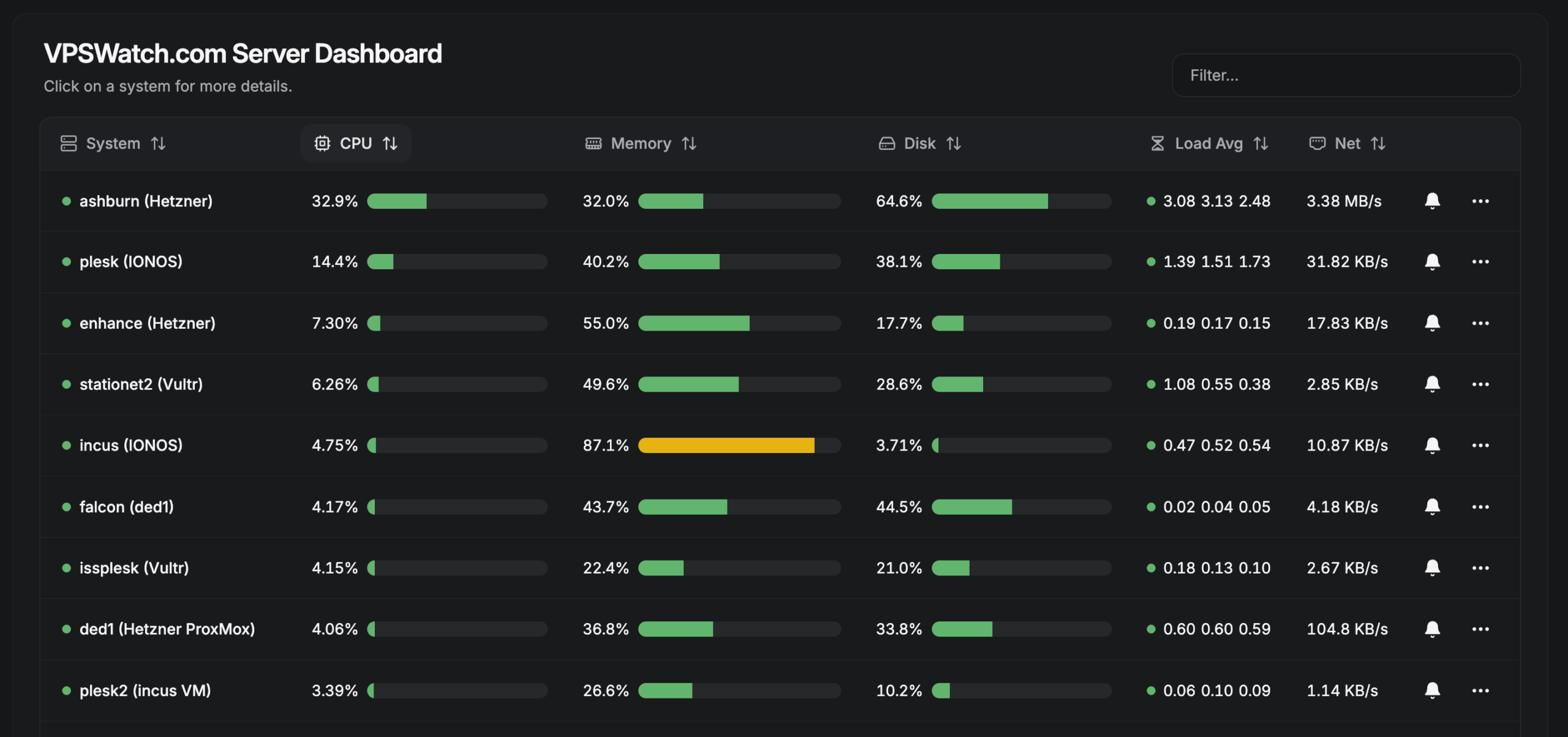
Not all VPS control panels are created equal. Some are designed for developers managing a few websites, while others can power an entire web hosting business. Here’s how eight popular platforms compare and which one might be right for you.
Running your own VPS (Virtual Private Server) has become an increasingly attractive alternative to traditional shared hosting and expensive managed hosting plans. With affordable cloud servers and dedicated hardware readily available, businesses can gain more control over performance, security, and costs.
But managing a Linux server directly isn’t everyone’s idea of a good time.
That’s where VPS control panels come in. These platforms simplify server administration, website deployment, backups, security, databases, and other everyday hosting tasks.
The challenge is choosing the right one.
A freelance WordPress developer managing five client websites has very different requirements from a digital agency hosting 100 websites, or a hosting company managing thousands of customer accounts across multiple servers.
In this article, we’re comparing eight hosting and server management platforms:
We’ll look at what each does best, where it fits, and what to consider before committing your hosting infrastructure to a particular platform.
First, Understand the Different Types of Hosting Panels
Although these products share many features, they generally fall into three categories.
Traditional Web Hosting Control Panels
Platforms such as Plesk provide a complete hosting environment with features for managing websites, domains, databases, email, DNS, customer accounts, and potentially resellers.
These are appropriate when customers need to manage their own hosting accounts independently.
Cloud Server and Application Management Panels
RunCloud, SpinupWP, Ploi, and similar platforms focus on making VPS management and application deployment easier.
They’re especially attractive to developers and agencies who want to maintain control over the servers while selectively granting access to team members or clients.
They don’t necessarily provide the account hierarchy, billing integration, and traditional hosting services expected from a full hosting-provider platform.
Multi-Server Hosting and Reseller Platforms
Enhance is designed around centrally managing hosting services across multiple servers, with customer accounts, hosting packages, and reseller capabilities.
Meanwhile, xCloud and FlyWP have expanded beyond server management into branded hosting resale programs, making them interesting choices for agencies developing recurring hosting revenue.
The distinction is important: giving someone access to a website isn’t necessarily the same as giving them an independent hosting account.
Comparing the Eight Control Panels
1. Plesk: Established, Full-Featured Web Hosting Management
Best for: Businesses, agencies, traditional hosting providers, and resellers.
Plesk is one of the most established commercial hosting control panels, with a comprehensive approach to managing Linux and Windows web hosting environments.
Its capabilities include website management, email accounts, DNS, databases, PHP configuration, SSL certificates, backups, and WordPress management through WP Toolkit.
Plesk has three primary editions:
- Web Admin: For businesses or individuals managing their own websites.
- Web Pro: For developers and agencies managing multiple client projects.
- Web Host: For hosting providers who need customer accounts, hosting subscriptions, and reseller management.
The Web Host edition is particularly relevant for commercial hosting companies because it supports a traditional hierarchy of administrators, resellers, and customers.
One consideration is that Plesk remains primarily a per-server control panel. Managing many servers doesn’t offer quite the same unified hosting-cluster experience as a platform designed around centralized infrastructure.
Our take: Plesk remains an excellent all-around choice for anyone who wants comprehensive hosting functionality, particularly when email hosting, DNS, and independent customer accounts are important.
2. Enhance: Built for Hosting Companies and Multi-Server Infrastructure
Best for: Growing agencies, hosting providers, resellers, and companies operating multiple hosting servers.
Enhance takes a different approach to hosting administration.
Rather than treating each server as an independent hosting environment, Enhance provides a centralized control panel for managing websites, customers, and services distributed across multiple servers.
Websites can be moved between servers, and application hosting, databases, backups, DNS, and email can be deployed as separate services where appropriate.
This provides flexibility for businesses operating infrastructure across different cloud providers or data centers.
Enhance also includes features specifically intended for commercial hosting:
- Separate customer and administrator accounts
- Hosting packages and resource limits
- Reseller and sub-reseller accounts
- White-label branding
- Multi-server website management and migration
- API and billing integrations, including Blesta and WHMCS
The tradeoff is that its infrastructure model introduces some additional considerations around cluster design, control panel availability, and managing distributed services.
For a freelancer hosting a handful of websites, this may be more infrastructure than necessary.
Our take: Enhance is particularly compelling for hosting providers who want to scale from a few servers into a larger infrastructure without operating independent control panels on every machine.
3. RunCloud: Excellent Server Management for Developers and Agencies
Best for: Freelancers, WordPress agencies, web development teams, and businesses managing their own applications.
RunCloud focuses on simplifying the management of cloud servers and web applications.
It provides tools for deploying websites, managing PHP applications, configuring databases, handling SSL, backups, and performing server maintenance.
Its workspace functionality also provides teams and customizable roles, making it possible to grant access to selected resources without sharing administrator credentials.
This is particularly useful for agencies with multiple developers or contractors.
Where RunCloud differs from traditional hosting panels is its business model. It is primarily a server and application management platform rather than a turnkey system for creating multi-tier reseller hosting accounts.
Our take: RunCloud is an excellent choice when you’re responsible for managing your clients’ hosting and want a convenient way to administer multiple VPS servers without the overhead of a full hosting-provider platform.
4. FlyWP: WordPress-Focused Hosting Management
Best for: WordPress freelancers, agencies, and businesses offering managed WordPress services.
FlyWP is built around simplifying WordPress hosting on cloud infrastructure.
It emphasizes WordPress deployment, performance optimization, staging, backups, and site management through a centralized interface.
This focused approach appeals to agencies that don’t need all the traditional services associated with shared hosting.
FlyWP has also introduced a White Label program intended to let agencies and WordPress businesses sell hosting under their own brands.
As of October 2026, that program is in beta, making it a promising development rather than a long-established reseller platform.
Its primary limitation is that its strongest focus remains WordPress hosting. Businesses requiring a broader mix of hosting services should compare the available capabilities carefully.
Our take: FlyWP is worth considering if your business is predominantly WordPress-focused and you want to package hosting as an additional recurring service.
5. xCloud: Cloud Management With Growing Reseller Capabilities
Best for: Agencies, developers, managed hosting businesses, and entrepreneurs launching branded hosting services.
xCloud has developed into a platform that covers both cloud server management and commercial hosting resale.
Users can manage their own VPS infrastructure or use xCloud’s managed hosting services.
Its white-label reseller offering adds the ability to create hosting packages, brand the customer experience, manage clients, and collect recurring payments through Stripe.
This makes xCloud particularly interesting for agencies that want to transition from simply managing client hosting to selling hosting packages directly.
It also supports broader application deployment beyond WordPress, which can appeal to developers working with different application stacks.
One consideration is whether its integrated billing and reseller workflows match your existing business systems, particularly if you already use a separate hosting billing platform.
Our take: xCloud is one of the more interesting options for agencies that want both developer-friendly server management and the ability to sell hosting under their own brand.
6. SpinupWP: Streamlined WordPress Server Management
Best for: WordPress developers, freelancers, and agencies that prefer managing their own servers.
SpinupWP is designed to make WordPress hosting on a VPS straightforward without requiring constant manual Linux administration.
It includes WordPress deployment, server configuration, backups, staging, and related hosting management features.
It supports team members with different administrative roles and can restrict access to selected servers.
Clients can also receive SFTP and SSH access to their own websites without accessing other sites on the server.
However, SpinupWP does not provide a complete traditional reseller hosting hierarchy out of the box. Instead, developers can use its API to build custom customer-facing experiences when needed.
Our take: SpinupWP is an attractive choice for WordPress professionals who want efficient, focused server management and don’t require clients to have a complete hosting control panel.
7. Ploi: Developer-Oriented Server and Application Deployment
Best for: Freelancers, development agencies, SaaS developers, and technical teams.
Ploi is another cloud server management platform, with particular strengths in developer workflows and application deployment.
It supports managing servers, websites, databases, deployments, scheduled tasks, and other common development infrastructure requirements.
Ploi also provides granular team permissions, allowing administrators to control access by user, server, and even individual website.
This is valuable for development teams that need to separate responsibilities without giving everyone full server administration privileges.
However, its collaboration and permissions model should not be confused with the customer, hosting package, and reseller hierarchy provided by traditional web hosting panels.
Our take: Ploi is an excellent candidate for developer-focused teams, particularly those deploying custom PHP applications alongside WordPress websites.
8. Rabbitflare: A Newer, Low-Cost WordPress Hosting Option
Best for: Budget-conscious WordPress developers, freelancers, and agencies exploring alternative hosting management platforms.
Rabbitflare is a newer entrant in the WordPress hosting management space.
It offers managed WordPress hosting as well as a bring-your-own-server option, allowing users to connect existing infrastructure.
The platform advertises website isolation, SSL, staging, backups, security features, and management tools through a simplified interface.
Its own-server management pricing is particularly notable, with an advertised flat monthly fee covering unlimited connected servers and WordPress websites.
However, low licensing cost doesn’t necessarily mean it offers the same commercial hosting capabilities as Plesk or Enhance.
Prospective users should verify the availability and maturity of customer account isolation, delegated panel access, reseller accounts, APIs, and billing integration before adopting it for a commercial hosting operation.
Our take: Rabbitflare is worth watching, especially for inexpensive WordPress VPS management. Hosting companies should evaluate its operational capabilities and maturity carefully before treating it as a complete reseller hosting solution.
Which Control Panel Fits Your Business?
Choosing a control panel is easier when you start with your business model rather than a feature checklist.
Freelancers and Solo WordPress Developers
If you’re managing a handful of websites, you probably don’t need elaborate customer accounts, reseller capabilities, or a multi-server hosting cluster.
Your main priorities are likely to be easy website deployment, performance, backups, security, and affordability.
Good candidates: SpinupWP, RunCloud, FlyWP, Ploi, and Rabbitflare.
Plesk Web Admin or Web Pro may also make sense when traditional hosting functionality is important.
Digital Agencies Managing Client Websites
Agencies typically need to manage more websites, collaborate with other developers, and maintain separate access permissions.
Some agencies handle every aspect of their clients’ hosting, while others want customers to log in and perform basic management tasks themselves.
The degree of customer independence is an important consideration.
Good candidates: RunCloud, xCloud, FlyWP, SpinupWP, Ploi, and Enhance.
Agencies that sell distinct hosting packages or want white-label customer portals should give additional attention to Enhance, xCloud, and FlyWP.
Larger Businesses Hosting Their Own Websites
A company managing dozens or hundreds of its own websites has different priorities from an agency.
It may not need reseller accounts or customer billing at all.
Instead, the organization might prioritize centralized management, employee permissions, deployment workflows, predictable security policies, and operational reliability.
For a company running many internal sites, brand websites, regional websites, or marketing properties, a developer-oriented platform may be sufficient.
Good candidates: RunCloud, Ploi, Plesk, xCloud, and Enhance.
If the organization operates multiple servers and needs to move workloads between them, Enhance becomes particularly interesting.
Web Hosting Companies and Reseller Providers
Hosting companies have more demanding requirements.
They need to manage customers, assign hosting packages, control resource usage, automate provisioning, and often provide self-service access.
Some also need to support independent resellers who can create and manage their own customers.
For these businesses, a simple server management panel may not be enough.
Good candidates: Enhance, Plesk Web Host, and xCloud.
FlyWP’s White Label program is also worth considering for WordPress-specific hosting resale, with the understanding that its commercial offering is newer.
Quick Comparison: Best Fit by Business Type
| Control Panel | Freelancers | Agencies | Larger Businesses | Hosting Providers |
|---|---|---|---|---|
| Plesk | Good | Excellent | Excellent | Excellent |
| Enhance | Good | Excellent | Excellent | Excellent |
| RunCloud | Excellent | Excellent | Excellent | Limited |
| FlyWP | Excellent | Excellent | Good | WordPress-focused |
| xCloud | Excellent | Excellent | Excellent | Good |
| SpinupWP | Excellent | Excellent | Good | Limited |
| Ploi | Excellent | Excellent | Excellent | Limited |
| Rabbitflare | Promising | Promising | Evaluate | Unproven |
These are general suitability ratings, not benchmark scores. A platform labeled “Limited” may still host paying clients effectively, but lacks some native capabilities traditionally expected from commercial hosting software.
Features to Consider Before Choosing
Beyond ease of use and price, several factors can make a significant difference over time.
Customer and reseller accounts: Can customers manage their own websites securely? Can resellers create their own customers and packages? Are those native accounts or simply delegated team permissions?
Server architecture: Does each server have its own independent panel, or can you manage the entire hosting infrastructure from one location?
Email and DNS: Are mailboxes and authoritative DNS included, or do you need separate providers?
Backups and disaster recovery: Can websites be restored to another server if the original VPS fails? Are off-server backups available?
Security and resource isolation: Are hosted websites separated by Linux users, PHP-FPM pools, containers, or other isolation mechanisms? Can administrators enforce CPU, memory, and disk limits?
Automation and billing: Does the platform integrate with services such as Blesta, WHMCS, or Stripe? Can it automatically provision, suspend, and terminate hosting services?
Licensing and long-term costs: Some platforms charge by server, others by website, user, or subscription tier. Compare the total cost at your expected scale, not just the starting price.
Portability: Consider how easily you can move websites to another server or control panel. The ability to recover your data and migrate away from a platform is just as important as the convenience of getting started.
Final Thoughts: There’s No Single Best VPS Control Panel
The best VPS control panel depends on what you’re trying to accomplish.
For a freelancer or small development shop, a lightweight server management platform can make running your own VPS surprisingly simple.
For an agency managing dozens of customer websites, collaboration, centralized administration, and efficient WordPress workflows become increasingly important.
For a business hosting hundreds of its own websites, infrastructure management and reliability may matter far more than reseller capabilities.
And for an actual web hosting provider, features such as independent customer accounts, reseller management, hosting packages, provisioning automation, and disaster recovery become essential.
Our recommendations by category:
- Freelancers: SpinupWP, RunCloud, FlyWP, or Ploi.
- WordPress agencies: RunCloud, FlyWP, xCloud, or Enhance.
- Companies managing large website portfolios: Enhance, RunCloud, Ploi, or Plesk.
- Commercial web hosting providers: Enhance, Plesk Web Host, or xCloud.
- Budget-focused WordPress management: Rabbitflare is worth evaluating.
The good news is that modern VPS control panels make it possible to build and operate sophisticated hosting environments without relying exclusively on expensive, fully managed hosting providers.
The important part is selecting a platform that fits not only your current needs, but also how your business will operate as it grows.
Note: Features, licensing, and reseller programs continue to evolve. This comparison reflects publicly documented capabilities as of October 2026. Verify specific features and pricing directly with each provider before making a purchasing decision.