Running client WordPress sites on a VPS gives an agency something shared hosting never can: control. Control over the PHP version, the cache stack, the firewall, the backup schedule, and the exact moment an update ships. Yet control is also a liability. Every layer the control panel leaves unmanaged falls on you, and the gaps are precisely where outages, compromises, and slow performance take hold. This checklist covers the complete maintenance picture: security, updates, backups, monitoring, and optimization, plus the layers control panels miss and the Cloudflare, CDN, WAF, nginx, and page-caching stack that sits beyond them.
1. Security: the non-negotiable baseline
Security maintenance begins with access control and never truly ends. SSH permits key-based login only, with password authentication disabled on every server in the fleet. Direct root login over SSH is prohibited. Administrators work through named sudo accounts so every privileged action traces to an individual. These read like one-time settings, but they demand recurring audits: a quarterly review of authorized keys reliably surfaces the contractor key nobody removed and the deploy key from a project that ended two years ago.
Brute-force protection belongs at several levels at once. Fail2ban or CrowdSec watches SSH and web logs and bans repeat offenders automatically, and those bans should propagate fleet-wide, so an address caught probing one client site is blocked everywhere within minutes. Inside WordPress, limit login attempts, enforce two-factor authentication on every administrator account, and disable XML-RPC unless a named integration requires it. Where editorial teams are concerned, single sign-on can remove the password target altogether.
File permissions deserve recurring attention rather than a single setup pass. Directories at 755 and files at 644, a hardened wp-config.php, and no world-writable paths except where the application genuinely requires them. Malware scanning runs on a schedule, weekly at minimum, using a scanner that understands WordPress internals, paired with file-integrity monitoring that flags any core file changing outside an update window. When malware appears, removal is only half the assignment: establish the entry point, close it, rotate every credential that may have leaked, and confirm that no rogue administrator accounts, malicious cron entries, or unfamiliar must-use plugins remain.
2. Updates: cadence beats heroics
The majority of WordPress compromises exploit known vulnerabilities for which patches already exist. Agencies stay clean by making updates routine to the point of boredom: a weekly pass over plugins and themes across the fleet, same-day response to security releases, and automatic core minor updates while major versions clear staging first. Commit the policy to writing per client tier. Brochure sites update aggressively. Commerce and membership sites verify on staging. Written policy means nobody improvises under pressure.
PHP itself belongs in the update program. Every PHP branch carries a published end-of-life date, and running an unsupported release means receiving no security fixes no matter how current WordPress is. Track the PHP version of every site from one central inventory, validate the next release on staging, and schedule production upgrades comfortably ahead of end of life. The same discipline extends to the server operating system: unattended security upgrades for OS packages, with kernel updates rebooted inside a defined overnight window and never during business hours.
Vulnerability intelligence closes the loop. Follow a WordPress vulnerability feed and map it against the fleet plugin inventory, so a critical CVE affecting forty client sites triggers one coordinated response instead of forty separate discoveries. Maintain a blocklist of abandoned plugins, defined as no meaningful update in over a year or unresolved published security reports, and replace them proactively during quiet weeks rather than during incidents.
3. Backups: worthless until restored
Every site needs automated backups covering files and database alike, stored off the server and ideally off the provider, following the 3-2-1 principle: three copies, two different media, one offsite. Frequency follows the rate of change. Commerce and high-traffic editorial sites back up daily at minimum, with intraday database snapshots wherever order or user data cannot be reconstructed. Brochure sites may run weekly, but never less often. Retention should span at least thirty days, so a quietly embedded compromise discovered late still leaves a clean restore point within reach.
The step agencies skip is restore testing. An untested backup is a hope, not a plan. Each quarter, select a site at random and restore it to a staging location. Verify that the database imports cleanly, the uploads tree is complete, and the site loads and functions end to end. Record the result. The first discovery that a backup job has been failing silently should happen during a scheduled test, never during a genuine outage with a client on the line.
- Automated daily backups of files plus database for dynamic sites, weekly minimum for static ones.
- Off-server and off-provider copies with at least thirty days of retention.
- Quarterly test restores to staging, logged as pass or fail.
- Pre-update snapshots before any major change, retained until the change is verified.
- A documented restore procedure per client tier, clear enough for any team member to execute.
4. Monitoring: know before the client does
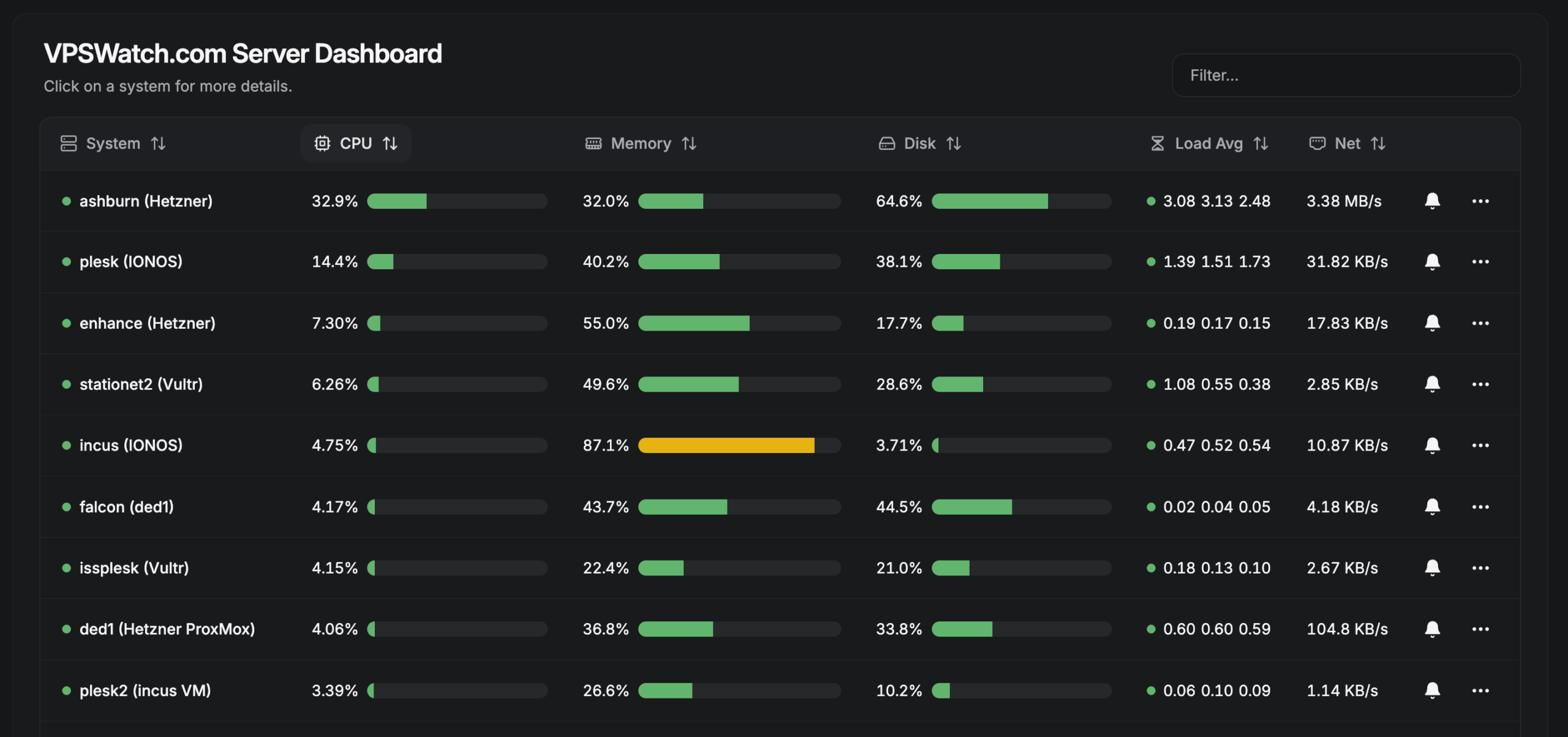
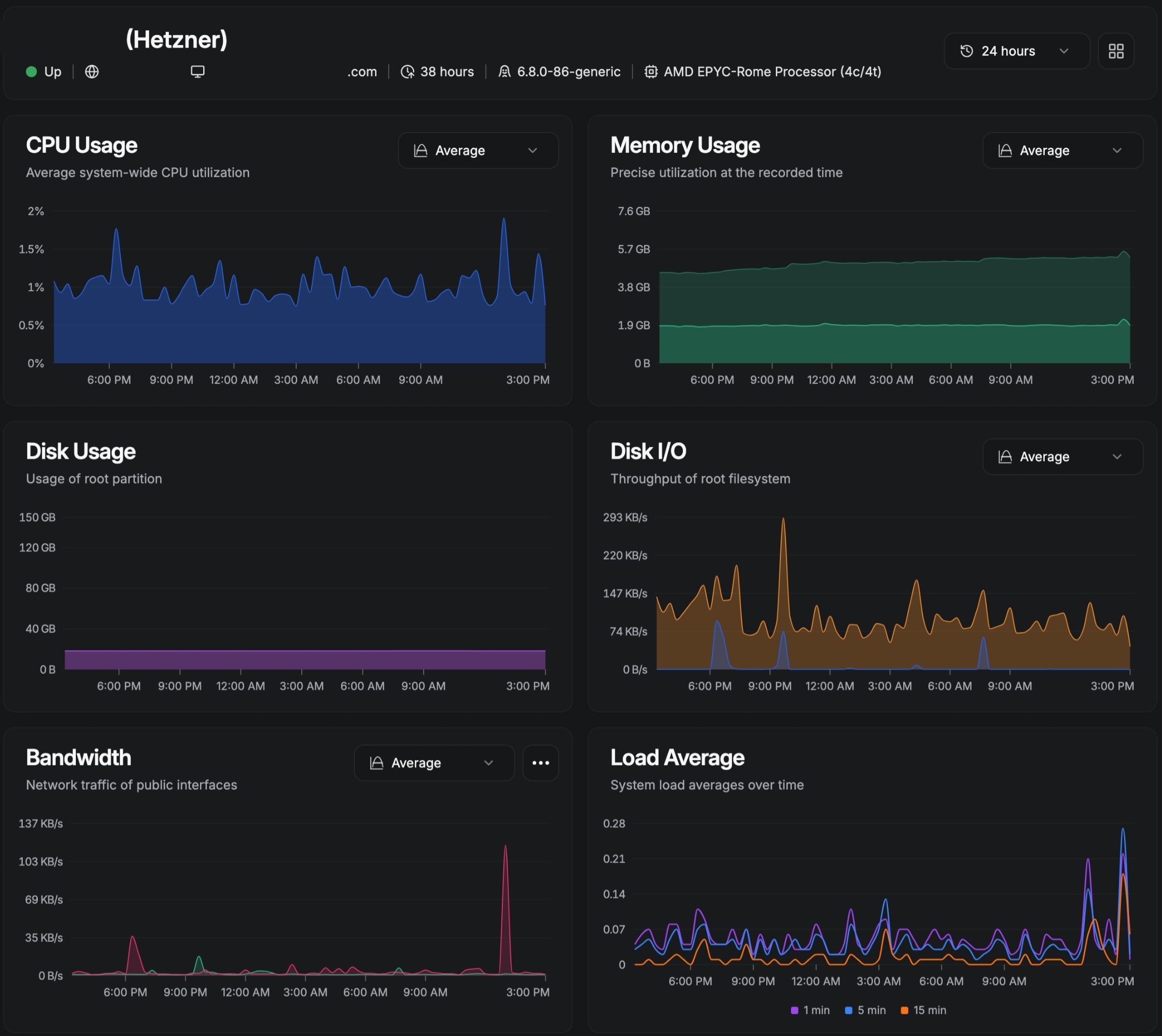
Uptime monitoring is the floor, not the ceiling. External checks should run every few minutes against the homepage and, for stores, against a cart or checkout endpoint, alerting to a channel a human genuinely reads. Uptime alone only proves the site answers, though. Resource monitoring reveals what is approaching: CPU and memory trends per site, disk growth, PHP worker saturation, and slow-query creep. A site whose memory footprint grows two percent a week has a leak or a runaway process. Finding it on a graph beats finding it at 3am when the container runs dry.
Log review is the layer most agencies neglect. PHP error logs expose fatals and memory exhaustion before visitors notice anything. Nginx error logs reveal upstream timeouts that signal hung PHP workers. Mail logs expose delivery failures that silently break contact forms and order confirmations. A daily automated pass over these logs, alerting on new error classes, converts firefighting into routine. Add expiry monitoring for domains, SSL certificates, and plugin licenses. Some of the most embarrassing agency outages in memory were forgotten renewals, not attacks.
Calibrate alert thresholds with restraint. Alert on anomalies and state changes: disk beyond eighty percent, a new PHP fatal class, a certificate inside fourteen days of expiry. Do not alert on every blocked bot probe. Alert fatigue is itself a monitoring failure. Once the team mutes the channel, there is effectively no monitoring at all. Revisit thresholds quarterly and keep a runbook entry for every alert type, so the on-call response is execution rather than investigation from a blank page.
5. Optimization: speed is maintenance
Performance decays gradually, then fails suddenly: the plugin added in March, the unoptimized images from June, the revisions table carrying forty thousand rows. Quarterly optimization passes arrest the drift. Begin with PHP. OPcache enabled with validated timestamps in production, workers sized to the container so bursts absorb without starving memory, and the slow log reviewed to identify which plugins burn CPU.
Add object caching where the workload justifies it. Redis or Memcached earns its place on dynamic, database-heavy sites. Cap cache memory with an eviction policy so the cache layer can never starve PHP. Tend the database directly: limit post revisions, purge expired transients, clear orphaned metadata left by removed plugins, and schedule automatic optimization in off-peak hours. Audit the plugin roster twice a year without sentiment. Each active plugin represents attack surface, update burden, and performance cost. If nothing on the site uses it, remove it.
Front-end weight counts as maintenance as well. Require modern image formats and responsive sizes at upload, lazy-load below-the-fold media, and hold third-party scripts to a budget. Every marketing pixel added without review is a performance regression carrying someone else’s name. Measure with field data rather than lab scores alone, and track Core Web Vitals per client with the same rigor as uptime.
6. What control panels miss
Control panels such as Enhance, Plesk, and CloudPanel are provisioning tools, not maintenance tools. They create the site, the database, the certificate, and the PHP pool, then consider the assignment complete. Everything else in this checklist beyond provisioning belongs to you. Panels do not verify that backups restore, tune workers per site, read logs, enforce update policy, or write documentation.
The most dangerous gap is the illusion of coverage. A panel glowing green across fifty sites feels like monitoring. It is not. Green confirms that services respond. It says nothing about the certificate expiring in twelve days, the disk reaching capacity on Friday, or the three sites running a plugin with a published CVE. Agencies that mistake the panel for the maintenance layer discover the difference during incidents. Use panels for their strength, which is consistent and repeatable provisioning, and build a dedicated maintenance layer above: external monitoring, centralized logging, fleet-wide update runs, and per-client documentation that survives any single employee’s departure.
7. Cloudflare: the outer layer
Cloudflare stands in front of everything and rewards deliberate configuration. Start with DNS. Proxy the site’s records, keep direct-origin records strictly where origin access is required, and eliminate strays pointing at decommissioned servers. Stale DNS is simultaneously a security exposure and a debugging trap. Reconcile every record quarterly, and require each one to justify its existence.
Edge caching is the highest-leverage performance control most WordPress sites have. Cache static assets aggressively with long edge lifetimes and versioned filenames, and extend full-page edge caching to anonymous traffic so repeat visits never reach origin at all. The discipline that sustains it is invalidation. Every deployment and content workflow must purge what it alters, and editors should learn that a stale page after publishing signals a purge problem, not a defect to escalate. Track cache-hit ratios per site. A sudden decline usually means a plugin began setting cookies or query strings on every request.
At the edge, security means the managed ruleset in blocking mode, bot defenses engaged on login and API endpoints, and rate limits on login, XML-RPC, and password-reset paths. Treat geographic blocking as a business decision for the client rather than a technical default. Preserve one critical invariant: Cloudflare protects the origin only while traffic genuinely flows through it. Any DNS record exposing the origin address bypasses every rule, so restrict the origin firewall to Cloudflare ranges and treat an exposed origin as an incident in its own right.
8. CDN: more than static files
Whether delivered through Cloudflare or a dedicated CDN, offloading static assets reduces origin load, shortens time to first byte worldwide, and absorbs traffic spikes that would otherwise queue PHP workers into timeouts. The ongoing burden is modest but genuine: tiered or shielded caching so a single edge fetch serves all regions, end-to-end compression with Brotli where available, and HTTP/3 wherever the provider supports it.
Learn the classic CDN failure signatures, because they masquerade as site defects. Mixed content after a certificate change, stale assets after a theme update, and query-string cache busting that multiplies edge storage all present as site bugs while living entirely in the delivery layer. Fold purge verification into every deployment checklist, and keep edge configuration documented and versioned. Reconstructing edge rules from memory mid-incident is an experience worth avoiding.
9. WAF: tuned, logged, reviewed
The web application firewall is the layer that comprehends WordPress: login abuse patterns, plugin-specific exploit signatures, and bot behavior that appears legitimate to a network firewall. Operate managed rulesets in blocking mode across authentication and API surfaces, add custom rules for the attack shapes actually observed, from repeated login POSTs across rotating addresses to XML-RPC floods and scanner user agents, and log every block with sufficient context to separate false positives from stopped attacks.
Tuning is maintenance rather than setup. Review WAF logs monthly. Emerging blocked patterns may warrant permanent custom rules, and any legitimate traffic caught by a rule needs an exception before it costs a client revenue or signups. Treat the WAF as a sensor as well as a shield. A sudden surge of blocked exploit attempts against one plugin is advance notice to patch or remove it fleet-wide. And never permit the WAF to justify deferred patching. It shortens the window of exposure. It does not close it.
10. Nginx caching: the origin’s shock absorber
Behind the CDN, nginx FastCGI caching absorbs whatever the edge misses: semi-authenticated traffic, cache misses, and direct-origin requests. A well-tuned FastCGI cache serves anonymous page views without starting PHP at all, which is the margin between surviving a traffic spike and watching workers queue until timeouts cascade. Key the cache with care. Bypass it for cookies indicating sessions, carts, or administration, and bypass query strings carrying dynamic state while still caching the marketing variants that leave content unchanged.
Invalidation discipline matters as much as hit rate. Content updates, plugin changes, and deployments must purge affected URLs, and the purge path itself needs monitoring, because a silently broken purge fills the cache with stale pages that nobody notices until a client does. Keep per-site nginx includes with the caching policy documented inline, and verify after every panel or platform upgrade that custom includes survived reprovisioning.
11. Dynamic WordPress page caching
The innermost layer is WordPress page caching itself: a plugin or must-use component storing rendered HTML and serving repeat visits without executing themes and plugins. For high-traffic sites this layer hides the largest origin savings, but it demands exclusion discipline. Carts, checkouts, account screens, and anything personalized must bypass the cache, or customers will see one another’s data. Revisit exclusions with every functional change, particularly after adding commerce, membership, or booking capability.
Warm the cache after deployments and purges so visitors never pay the first-hit cost, and preload critical paths such as the homepage, leading landing pages, and pricing on a schedule. Coordinate time-to-live values across layers, with inner caches expiring sooner than edge caches, so purges propagate outward without inconsistency windows. When layers disagree about freshness, debug from the innermost cache outward, and document the stack per site so nobody reconstructs it from scratch at midnight.
12. The cadence: put it on the calendar
A checklist without a schedule is a wishlist. The following is the minimum viable maintenance calendar for an agency fleet. Increase frequencies with client tier, but never fall below this floor.
| Daily | Uptime checks, backup success verification, error-log scan for new fatal classes |
| Weekly | Plugin, theme, and core updates; WAF block review; disk and resource trend check |
| Monthly | Malware and integrity scan review, access-key audit sample, cache-hit ratio review, edge configuration check |
| Quarterly | Test restore to staging, full access audit, plugin-list cull, performance pass, certificate and domain expiry review |
| Annually | PHP version lifecycle planning, operating-system major-upgrade planning, disaster-recovery drill, client documentation refresh |
Maintenance is the product
Clients do not buy servers. They buy sites that stay fast, stay online, and stay clean. Security, updates, backups, monitoring, and optimization are not overhead piled onto the real work. For an agency, they are the real work, and the layers beyond the control panel are what separate professional hosting from wishful thinking. Assign every item in this checklist a date and an owner, measure whether it happened, and examine the misses. Agencies that operate this way keep clients who never learn what an incident feels like.
nHand us the checklist
nnnnEvery item above, from daily backup verification and weekly updates to quarterly restore tests and annual disaster-recovery drills, is work VPS Watch performs for its managed clients as a matter of routine. If your calendar has no room for a twelve-part maintenance program, contact VPS Watch and let our team own it end to end.
n