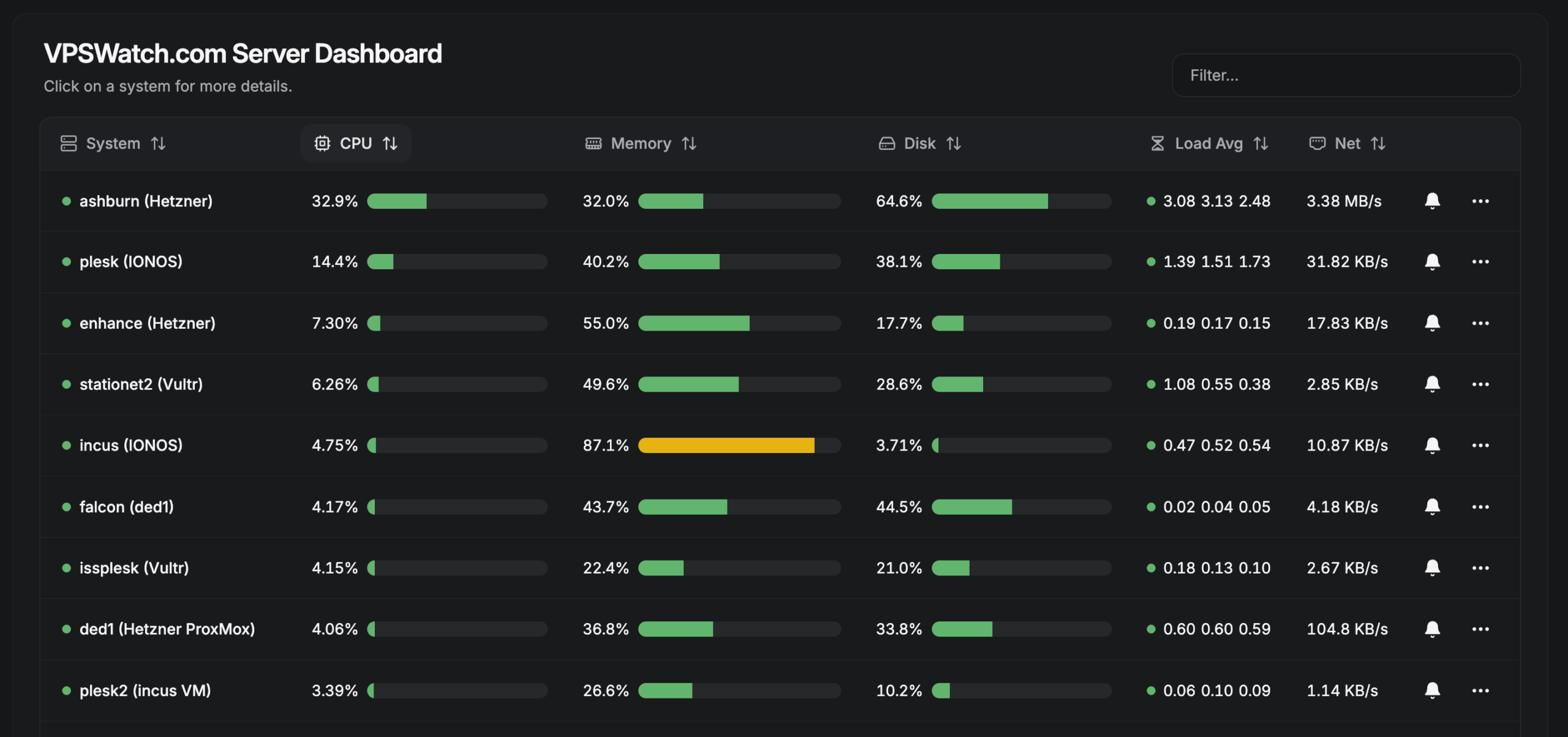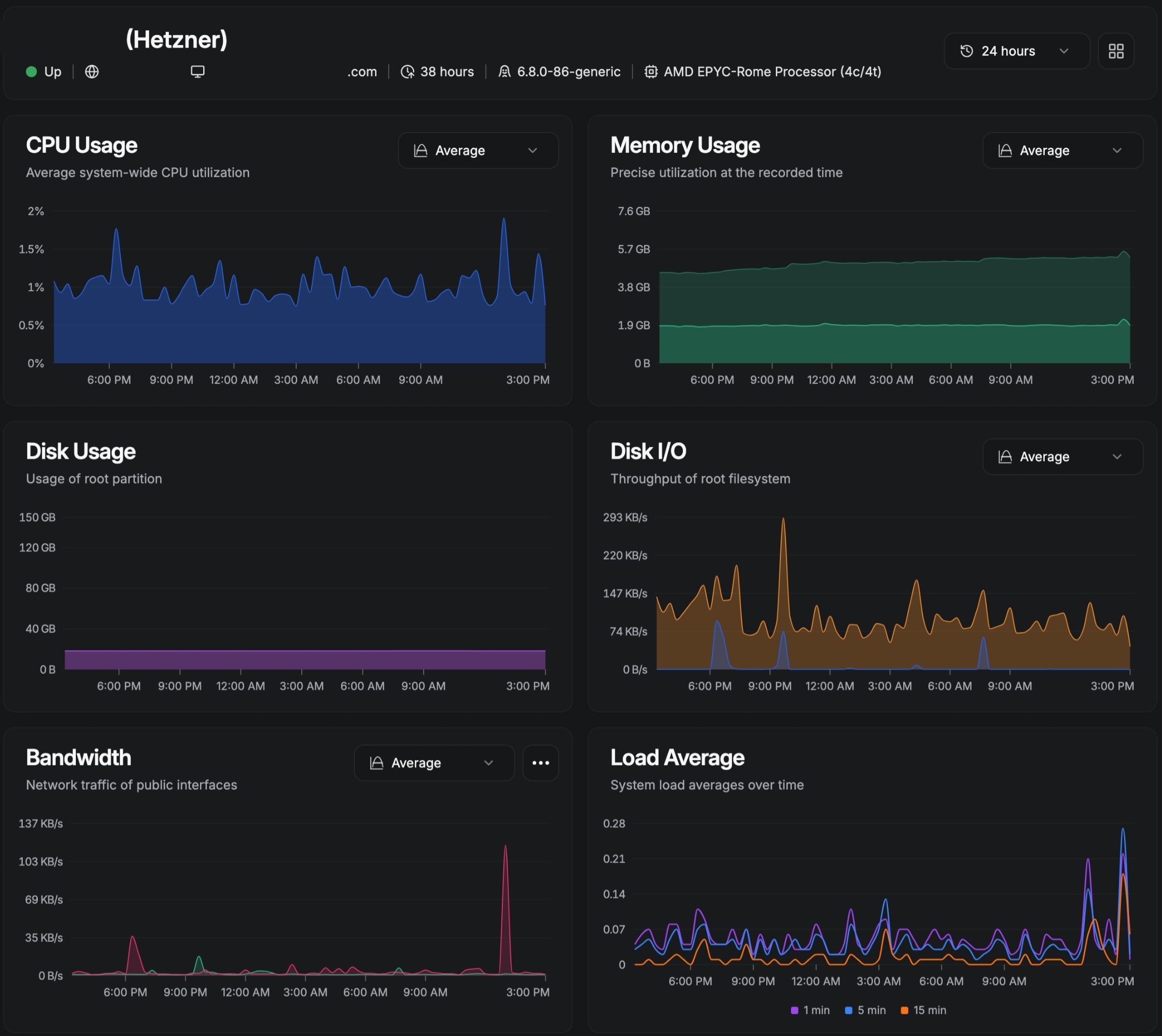

“How many sites fit on this server?” is the most expensive question in WordPress hosting, because the wrong answer bills you twice: once in wasted capacity and again in the outage that overselling causes. The honest answer depends on memory budgets, traffic shapes, cache behavior, and above all the difference between static pages that barely touch PHP and dynamic pages that demand raw processing on every request. This guide shows how to do the math.
Start with memory, not disk
Newcomers size servers by disk space. Veterans size by memory. Disk is cheap and rarely binding. Memory decides how many PHP workers, database buffers, and cache layers can coexist, and memory exhaustion is the failure mode that takes down every site on the box at once. A capacity plan begins with a simple budget: operating system overhead, MySQL or MariaDB buffers, object cache allocation, PHP worker pool at peak concurrency, plus twenty to thirty percent headroom you never intentionally spend.
Work a concrete example. A 4GB container might reserve 500MB for the OS and mail stack, 1GB for a tuned MariaDB, 256MB for Redis, and the remainder for PHP. If each PHP worker averages 60 to 90MB under real themes and plugins, that remainder supports roughly twenty workers. Twenty workers across how many sites depends entirely on what those sites ask PHP to do, which is where static and dynamic diverge.
Static pages that cache well
A brochure site, a blog, a marketing landing page: nearly every visit is anonymous, every page identical for every visitor, and every response cacheable for minutes or hours. With edge caching, nginx FastCGI caching, and a page-cache plugin stacked, upwards of ninety-five percent of requests never boot PHP at all. The origin serves a trickle of cache misses and logged-in editors. On a modest 2GB VPS, dozens of such sites coexist comfortably, and the binding constraint becomes administrative attention rather than hardware.
Cache-hit ratio is the metric that governs this entire category. Monitor it per site. A static site holding above ninety percent cached responses costs almost nothing at any traffic level the edge can absorb. When the ratio slips, investigate before adding capacity: a newly installed plugin setting cookies on every visit, a chat widget breaking cacheability, or a misconfigured exclusion can convert a near-free site into a PHP-bound one overnight.
Dynamic pages: membership and ecommerce
Membership sites, online stores, booking platforms, and learning management systems invert the equation. Logged-in sessions, carts, checkouts, account dashboards, and personalized content cannot be served from a shared cache entry. Each request boots PHP, queries the database, and consumes a worker for hundreds of milliseconds. A single active shopper can demand more processing than a thousand anonymous readers of a cached blog post.
Budget these sites in workers and megabytes, not in site counts. A WooCommerce store doing steady daytime traffic may need five to ten dedicated PHP workers at peak plus generous database buffers for order and session tables, effectively consuming a quarter or more of a 4GB container before traffic even spikes. Sessions multiply the cost: a thousand concurrent logged-in users with uncached pages is a fundamentally different workload than a thousand page views, and capacity plans that confuse the two fail exactly when success arrives.
- Exclude carts, checkouts, accounts, and personalized pages from every cache layer, without exception.
- Budget peak concurrent dynamic users, not daily page views, when sizing workers.
- Give the database room: order, session, and action-scheduler tables grow relentlessly and need buffers plus pruning.
- Load-test checkout flows before campaigns, not during them.
Traffic: convert visits into requests
Monthly page views alone cannot size a server, because capacity binds at peaks, not averages. Convert traffic into the metric that matters: uncached PHP requests per second at peak. Take the busiest hour, estimate the share of requests that bypass cache, and divide by 3,600. A site with 100,000 monthly views concentrated in business hours at a ninety percent cache-hit ratio asks PHP for roughly one request per second. The same views on an uncacheable membership site demand ten times that, sustained.
Growth headroom belongs in the initial math. Size for at least double the current peak, and define in advance what happens at the ceiling: which site moves, which container grows, and who approves it. Capacity planning without a documented overflow path is just optimism with a spreadsheet.
Caching multiplies capacity
Every effective cache layer multiplies the sites a VPS can carry. Edge caching absorbs anonymous traffic globally. Nginx FastCGI caching shields PHP from everything the edge misses. Page caching and object caching shrink the cost of the requests that remain. A stack with all three layers routinely serves ten to fifty times the traffic of an uncached server on identical hardware, which is why caching architecture belongs in capacity planning rather than arriving later as a rescue measure.
The multiplier collapses wherever caching cannot apply, which returns the analysis to the static-dynamic split. Estimate capacity per site as a blend: the cacheable share at near-zero marginal cost plus the dynamic share at full worker cost. Agencies that skip this step and divide RAM evenly across sites will starve their stores while over-provisioning their blogs.
Overselling: the quiet killer
Overselling means promising more aggregate resources than the server holds, betting that not every site peaks simultaneously. Every shared and budget host does it, and modest oversubscription is economically rational. The failure mode arrives when peaks correlate: the morning every client publishes, the sale day every store spikes, the attack that hammers all login pages at once. Correlated demand converts comfortable oversubscription into cascading timeouts, and the blast radius is every site on the box.
Honest capacity policy sets explicit ceilings instead. Cap PHP workers per site so one runaway pool cannot consume the container. Set memory limits that contain failures to the offending site. Monitor saturation continuously and treat sustained high utilization as a provisioning ticket, not a badge of efficiency. A server running at eighty-five percent all day has no room for the spike that statistics guarantee will come. Professional hosting keeps thirty percent in reserve and calls it discipline rather than waste.
Ecommerce deserves its own math
Stores warrant a dedicated section because every assumption from static hosting breaks against them. Sessions defeat page caching across the journey that matters most. Search, filtering, and recommendations are database-heavy by nature. Checkout must be fast and can never queue, since latency at payment directly destroys revenue. Cron-driven tasks like subscription renewals and stock syncs create background load invisible in traffic analytics.
Rule of thumb: budget one store the way you would budget ten brochure sites of equal traffic, then validate with load testing that exercises checkout end to end, including payment gateway sandboxes, webhook handling, and email delivery. Isolate high-value stores on their own containers or servers when revenue justifies it. The cost of isolation is trivial beside the cost of a shared-box outage on the biggest sale day of the year.
Worked scenarios
Illustrative budgets for a 4GB, 2vCPU container with edge plus nginx plus page caching in place. Treat these as starting points to validate with monitoring, not as guarantees.
| Mix | Example composition | Comfortable fit |
| All static | Brochure sites and blogs, 90 percent plus cache hits | 30 to 50 sites |
| Mixed | Mostly static plus a few low-traffic membership sites | 15 to 25 sites |
| Dynamic-heavy | Active communities, courses, busy editorial with logged-in traffic | 5 to 10 sites |
| Ecommerce | WooCommerce stores with daily orders | 2 to 4 stores, fewer at high volume |
Review on a schedule
Capacity plans decay. Traffic grows, plugins fatten, clients launch stores on brochure-site budgets. Revisit the math quarterly: current peaks against provisioned headroom, cache-hit ratios against assumptions, and each dynamic site against its worker budget. Move or grow capacity while headroom remains, never after it vanishes. The cheapest server migration is the one scheduled months ahead. The most expensive is the one performed during an outage.
Host the right number, not the maximum number
Static pages that cache well cost almost nothing. Dynamic membership and ecommerce pages cost real processing and real memory on every request. Size by memory, convert traffic to peak uncached requests, multiply with layered caching, refuse to oversell past explicit ceilings, and give stores their own math. Agencies that plan this way host with confidence. If the arithmetic feels like overhead, Get started with VPS Watch and let engineers who live in these numbers carry it for you.